New Features
Note content can now be copied using copy button (Issue #256)
The contents of a note are read-only once created. This means that the display of the note doesn’t allow for copying using the mouse dragging. To counter this a copy note content button has been added to the title bar of each note. Pressing this button copies the entire note content to the system clipboard and can be pasted anywhere in the system.

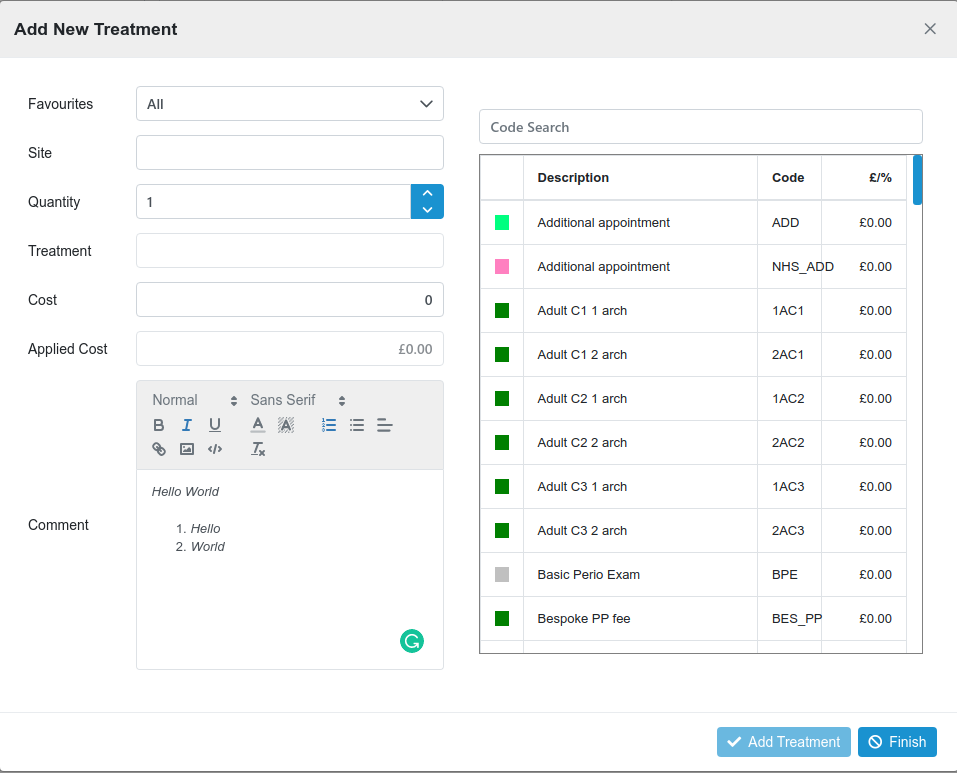
Formatted text in treatment comment (Medical Note) (Issue #257)
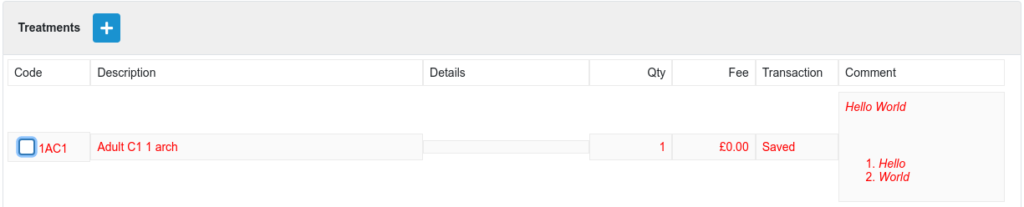
To date, any text entered in the comment box of the treatment dialogue was treated as plain text. Now a full-text editor with formatting has replaced the plain text box. The text will be displayed in the treatment list as formatted text and in the notes section.
When the treatment is added the comment appears as formatted text.
Resolved Issues
Historic appoinments in Journey Code Report (Issue #252)
In the patient journey code report, historic appointments no longer show in the next appointment column.
Opening and closing the same Clinician Diary (#253)
If the Clinicians Diary was opened for the same clinician twice in a row an error occurred. Now the same clinician diary can be opened and closed as expected.